Free AI agent · Android + Web
An AI agent that does real work on your phone.
CX Agent chats, plans, builds and checks its own work. It comes with free built-in CX AI, runs offline models on your device, and works with any model you bring.
Start where you are
Two ways in. Same agent.
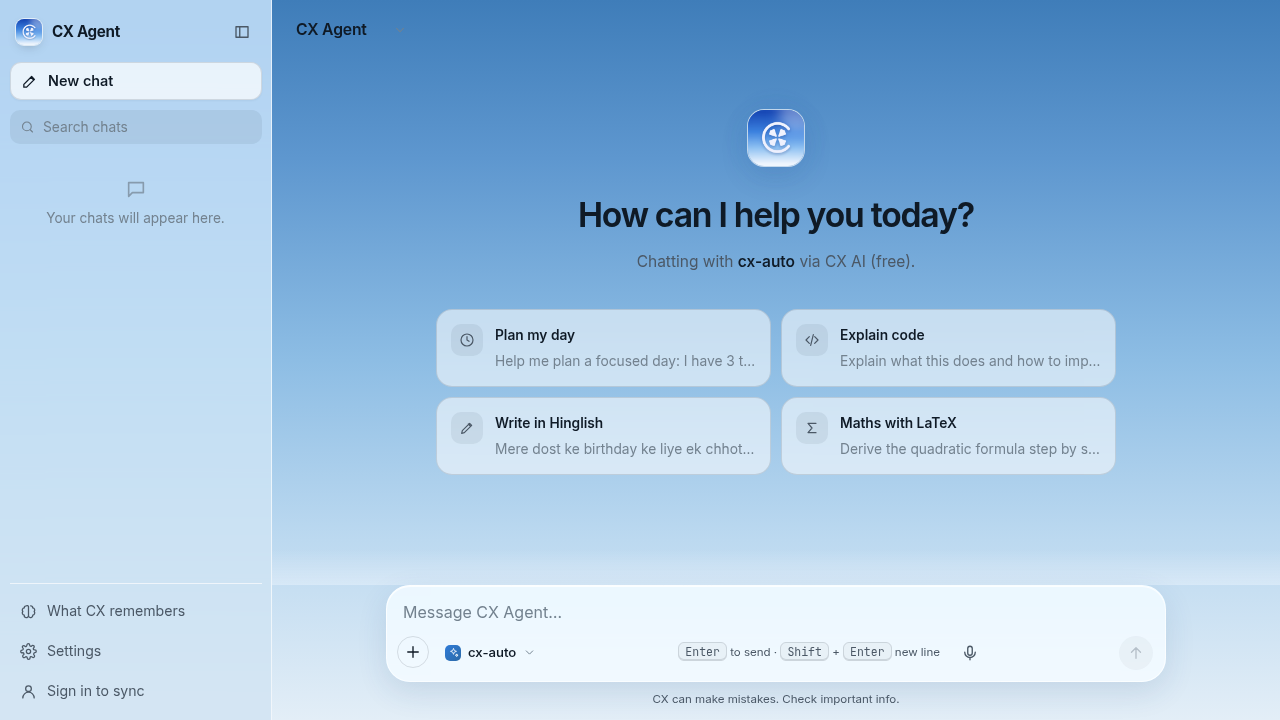
Install the Android app for the full experience, or open the web app in any browser and start chatting in seconds.

The Android app
The full agent in your pocket: Linux workspaces, 21 intelligence tools, offline models, games, phone tools and more. Free on Android 8.0 and newer.

The web app
No install, no sign-up to try. Open a tab and chat with free CX AI. Sign in and your saved chats and memories sync with the Android app.
What's new
New in 1.0.5
Smarter workspaces, better games and a cleaner app. Released 29 November 2026.
Workspace intelligence
21 new tools read your project, find bugs and their cause, check security and dependencies, test and repair, and save checkpoints you can go back to.
Web design skills
One skill builds polished websites. The other reviews a page and fixes what looks or works wrong.
Plan, build, review
The agent plans before it touches a file, builds in small careful steps, then checks its own work against what you asked.
Games, leveled up
Every game gets a top-3 podium with a crown for first place, and Snake Kingdom got a clean refresh with player photos.
Smarter long tasks
The agent keeps its skills, files and progress through long chats. Continue picks up at the next unfinished step.
A faster start
The app opens straight onto your theme, never onto a white screen, with less work running at start-up.
Features
One agent for everything you do
Chat, build, browse and automate, with your approval before anything changes.
Think and act
Free to start, yours to steer.
Free CX AI
Sign in and chat free. Auto, Smart and Fast pick the model for you. No API key needed.
Any model you choose
Add your own OpenAI, Claude, Gemini, OpenRouter, Groq or any OpenAI-compatible key.
Offline models
Download CX Lite, Balanced or Smart once and chat with no internet. Nothing leaves your phone.
Thinking you can watch
See CX work step by step, and open Steps on any answer to see how it got there.
Real work on your phone
Not just chat.
Linux workspaces
Private project folders with a terminal and GitHub tools to clone, diff, commit and open PRs, with your approval.
Previews and rich cards
HTML and React previews, cards for weather, stocks, recipes and timelines, and files verified before you get them.
30+ apps and 50 MCP servers
Cloudflare, Supabase, Vercel, Netlify, Railway, Render, Google Drive, Gmail and more. Every change asks Allow or Deny first.
Your servers too
Run JavaScript, SSH into your machines, use Termux and import skills from a link.
Works for you
In the background, on your schedule.
Schedules and sub-agents
Run scheduled tasks and sub-agents in the background, and hear only when something matters.
Workflows
Event triggers like Wi-Fi, battery or a notification start a task for you automatically.
Morning brief
The date, your city's weather and today's schedule in one glance.
Telegram and your computer
Chat with CX from your own Telegram bot, or open CX in any browser on your Wi-Fi.
Everyday tools
Built in, free to use.
CX Browser
A private browser with an ad blocker, read aloud and picture-in-picture. CX reads a page only when you ask.
Video Reader
Paste a YouTube link and CX reads the video, summarises it and answers questions about it.
Images, voice and translation
Generate and edit images, talk to CX by voice, hear replies read aloud and translate in the same chat.
Maps and directions
Places near you, routes and trips, with live location only while you use it.
CX Apps
Focused tools inside CX Agent
Pin any of them to your home screen as its own app.

CX Browser
Private, fast browsing with an AI that reads only when you ask.

CX Editor
Write and edit code and documents with the agent beside you.

CX GPS Cam
Photos stamped with map, address, coordinates, time and your note.

CX PDF
Open, read, sign and work with PDFs on your phone.
How CX works
Plan. Build. Review.
Plan
CX reads your request and your files and writes a short plan.
Build
It works in small, safe steps and asks before changing anything.
Review
It checks the result against your request and fixes what misses.
Docs
Everything CX Agent can do, explained.
78 guides written from the app itself, from your first chat to scheduled jobs, Linux workspaces and the AI browser agent.
Browse the docs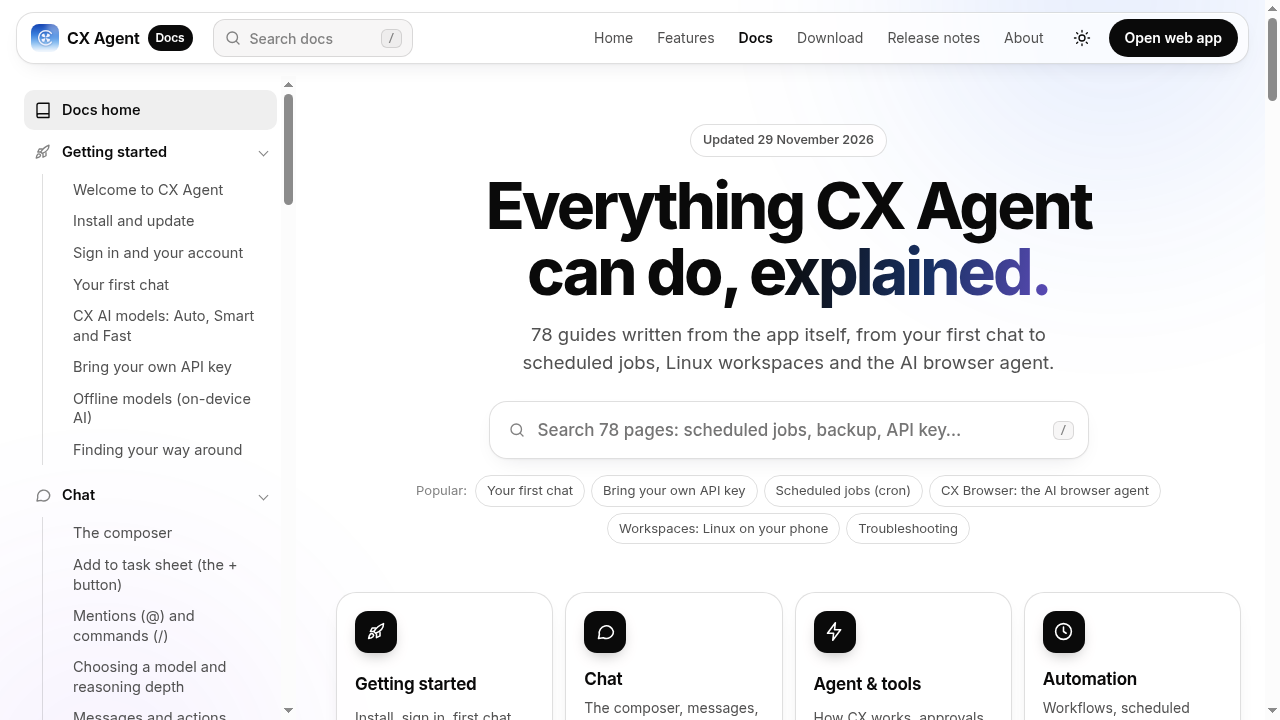
The team
The people behind CX Agent
Founder
Mehran Chandail
Founder of ChandailX and creator of CX Agent. Built in Jammu and Kashmir, India.

Co-founder
K Nithin
Co-founder of CX Agent and founder of Fubrio, the supporting company of CX Agent.

FAQ